

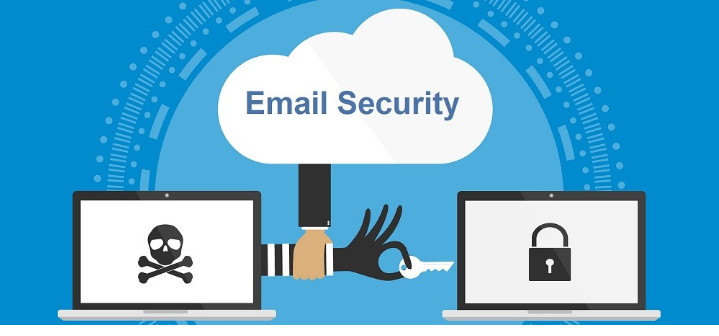
Enhancing Email Security: A Comprehensive Guide for Small Businesses
Introduction
Email is a vital communication tool for small businesses, but it also presents significant security risks. This guide offers essential advice on enhancing email security, providing actionable steps to protect your email communications. By implementing these measures, you can safeguard your business from cyber threats, ensuring a secure and efficient email environment.
1. Recognizing Phishing Attempts
Phishing scams are designed to steal sensitive information by posing as legitimate organizations. Here’s how to safeguard against them:
Verify the Sender:
Always check the email address of the sender. Scammers often use addresses that are very similar to legitimate ones but with subtle differences.
For example, a scam email might come from “support@yourbank.co” instead of “support@yourbank.com“.
Identify Red Flags:
Be cautious of emails that create a sense of urgency, use generic greetings (like “Dear Customer”), or contain suspicious links or attachments.
Look for spelling and grammatical errors, as these can also be indicators of phishing.
For instance, an email claiming “You must update your account immediately to avoid suspension” with poor grammar and spelling should raise suspicion.
Hover Over Links:
Before clicking, hover your mouse over any links to view the actual URL.
If the link looks suspicious or doesn’t match the context of the email, do not click on it.
A link that says “click here” but shows “http://malicious-site.com” when hovered over is a red flag.
2. Managing Attachments Safely
Attachments can be a vector for malware and viruses. Follow these steps to handle them securely:
Use Antivirus Software:
Always scan attachments with reliable antivirus software before opening them.
Ensure your antivirus software is up to date to catch the latest threats.
Avoid Unknown Senders:
Do not open attachments from unknown or unexpected senders.
If you’re unsure, contact the sender to verify the attachment.
For example, if you receive an unexpected invoice, call the sender to confirm its legitimacy.
Preview Attachments:
Use Outlook’s preview function to view attachments without fully opening them.
This can help identify any suspicious content before it can harm your system.
3. Using Secure Connections
Securing your email connection is crucial for protecting your data:
Access via HTTPS:
Ensure you always access your email through HTTPS, which encrypts the data transmitted between your device and the email server.
Look for “https://” at the beginning of the web address in your browser.
Use a VPN:
When accessing your email over public Wi-Fi, use a Virtual Private Network (VPN) to add an extra layer of security and protect your data from potential eavesdroppers.
4. Implementing Strong Password Practices
Strong passwords are a fundamental defense against unauthorized access:
Create Strong Passwords:
Use complex passwords that include a mix of letters, numbers, and special characters.
Avoid using easily guessable information such as birthdays, common words, or simple patterns.
A good password might be “Myp@ssw0rd!2024”.
Regularly Update Passwords:
Change your passwords periodically to minimize the risk of them being compromised.
A good practice is to update them every few months.
Set a reminder to update your passwords quarterly.
Enable Multi-Factor Authentication (MFA):
MFA adds an extra layer of security by requiring a second form of verification, such as a code sent to your phone or an authentication app.
This makes it much harder for attackers to gain access even if they know your password.
5. Keeping Software Up to Date
Regular updates are essential for maintaining security:
Update Outlook Regularly:
Ensure your Outlook application is always up to date with the latest security patches and features.
Enable automatic updates if available.
Update Your Operating System:
Similarly, keep your operating system and other software up to date to protect against vulnerabilities that could be exploited by attackers.
6. Training and Awareness
Continuous education on email security best practices is crucial:
Conduct Security Training:
Regularly educate your team about the latest security threats and best practices.
This can include phishing simulations and interactive training sessions.
Schedule quarterly training sessions and update materials based on the latest threats.
Stay Informed:
Keep up to date with new security threats and solutions by following trusted sources and industry news.
Encourage your team to do the same.
Subscribe to security newsletters and follow reputable cybersecurity blogs.
Conclusion
By following these detailed tips, you can significantly enhance the security of your email communications in Outlook. Recognizing phishing attempts, managing attachments safely, using secure connections, implementing strong password practices, keeping software updated, and ongoing training are al.
Strengthen your small business’s email security with our comprehensive guide! Learn how to recognize phishing attempts, manage attachments safely, use secure connections, implement strong password practices, keep your software up to date, and train your team effectively. hashtag#CyberSecurity hashtag#EmailSecurity hashtag#SmallBusiness hashtag#Outlook hashtag#PhishingProtection hashtag#DataProtection hashtag#TechTips hashtag#BusinessSafety#m365pros.com
