

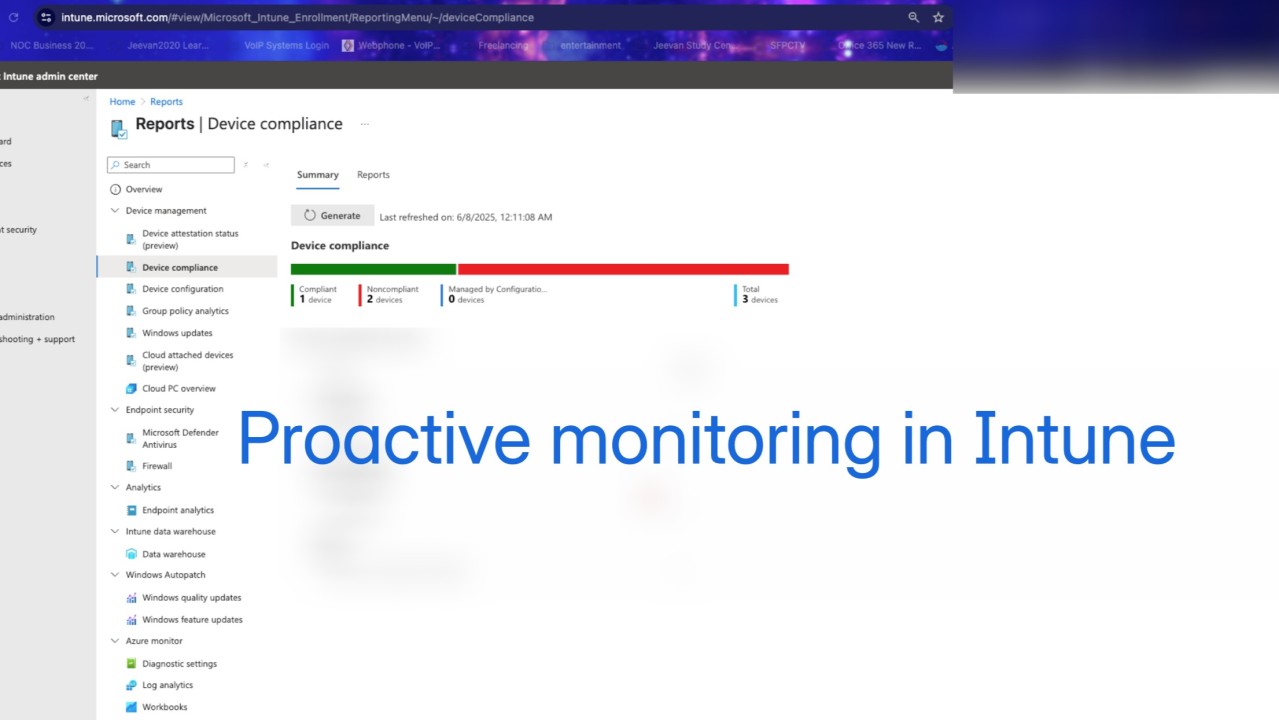
You don’t need to sit in the Intune portal all day to stay on top of your environment. While Microsoft Intune doesn’t yet offer native alerting for every possible scenario, it does provide a set of built-in monitoring tools, integration options, and smart workarounds that help IT stay proactive.
In today’s article, we’ll cover the real-world tools available today for monitoring device compliance, troubleshooting, and staying ahead of issues, without relying on outdated or unavailable alerting features.
Use Reports to Monitor Key Events
Start here. Intune’s Reports blade provides valuable insight into everything from device compliance to app deployments and Windows update status.
Go to Intune Admin Center > Reports
From here, you can access:
- Device compliance reports
- Windows update status reports
- Device Configuration reports
- Cloud PC overview
You can export these reports or schedule regular reviews internally.
Bookmark your most-used reports and build a weekly review workflow to catch drift before users notice.

Monitor Autopilot and Enrollment Issues
For onboarding scenarios, you can track failures using:
Intune Admin Center > Devices > Enrollment > Enrollment Status Page
Here, you’ll find:
- Devices that failed ESP (Enrollment Status Page)
- Devices that didn’t apply all assigned profiles or apps
- Enrollment time and status
Use this view after deploying Autopilot to catch policy timing issues or app conflicts early.

Enable and Use Endpoint Analytics
Intune integrates Endpoint Analytics natively, giving you visibility into device performance, login delays, app reliability, and user experience scores.
Go to Intune Admin Center > Reports > Endpoint Analytics
Here, you can monitor:
- Startup performance
- Application reliability
- Work from anywhere
- Resource performance
Use this proactively to justify hardware refresh cycles and surface “invisible” issues before they hit your help desk.

Notifications for Enrollment Events
Intune supports user-facing notifications for specific actions like new device enrollments or compliance state changes.
To configure these:
- Go to Intune Admin Center > Devices > Enrollment > Enrollment notifications
- Set up email alerts to notify users when a device is enrolled under their identity
These are user notifications, not admin alerts, but still valuable for security awareness and transparency.
Reference: Microsoft Docs – Enrollment notifications

Use Microsoft 365 Service Health & Message Center
While not Intune-specific, the Microsoft 365 Admin Center provides alerts when Intune experiences service degradation, delayed policy delivery, or reporting issues.
Go to admin.microsoft.com
- Navigate to Health > Service Health
- Filter by Intune or Endpoint Manager
- Set up admin email notifications for incidents and advisories
Subscribe key team members to Service Health emails so you don’t miss backend disruptions that affect device behavior.

