Close Menu
  • Home
  • Features
  • Microsoft 365
    • Word
    • Excel
    • Power point
    • Teams
    • Sharepoint
    • One Drive
    • outlook
    • Copilot
  • M365pros_security
    • Defender for M365
    • Defender for Endpoint
  • Intune Zone
  • Windows Server
What's Hot

Deploy the LOLBINS (Living Off The Land Binary Attacks) prevention-focused ASR rules via custom configuration profile (OMA-URI) in Intune

March 27, 2026

Elevating CEH: Transforming a Single Curriculum into Beginner, Intermediate, Advanced, and Expert-Level Cybersecurity Training

March 27, 2026

The Intune Device Lifecycle: From Onboarding to Retirement (Best Practices)

July 3, 2025
Facebook Instagram
  • Download Free Chicklist
Facebook LinkedIn YouTube
Blog.m365pros.comBlog.m365pros.com
  • Home
  • Features
  • Microsoft 365
    • Word
    • Excel
    • Power point
    • Teams
    • Sharepoint
    • One Drive
    • outlook
    • Copilot
  • M365pros_security
    • Defender for M365
    • Defender for Endpoint
  • Intune Zone
  • Windows Server
Blog.m365pros.comBlog.m365pros.com
Home»administrative assistant»The Intune Device Lifecycle: From Onboarding to Retirement (Best Practices)
administrative assistant

The Intune Device Lifecycle: From Onboarding to Retirement (Best Practices)

Jeevan MahatBy Jeevan MahatJune 3, 2025Updated:June 5, 2025No Comments3 Mins Read
Share Facebook LinkedIn Email Copy Link
The Intune Device Lifecycle: From Onboarding to Retirement (Best Practices)
Share
Facebook LinkedIn Email Copy Link

Managing endpoints isn’t just about deployment, it’s about handling the entire device lifecycle: from onboarding and day-to-day management to secure deprovisioning when a device is no longer in use.

Microsoft Intune provides a streamlined, policy-driven approach to each phase of this lifecycle, and when done right, it reduces IT overhead, increases security, and improves the user experience.

In this post, I’ll walk you through the key stages of managing a device in Intune from start to finish, and how to handle each one effectively.

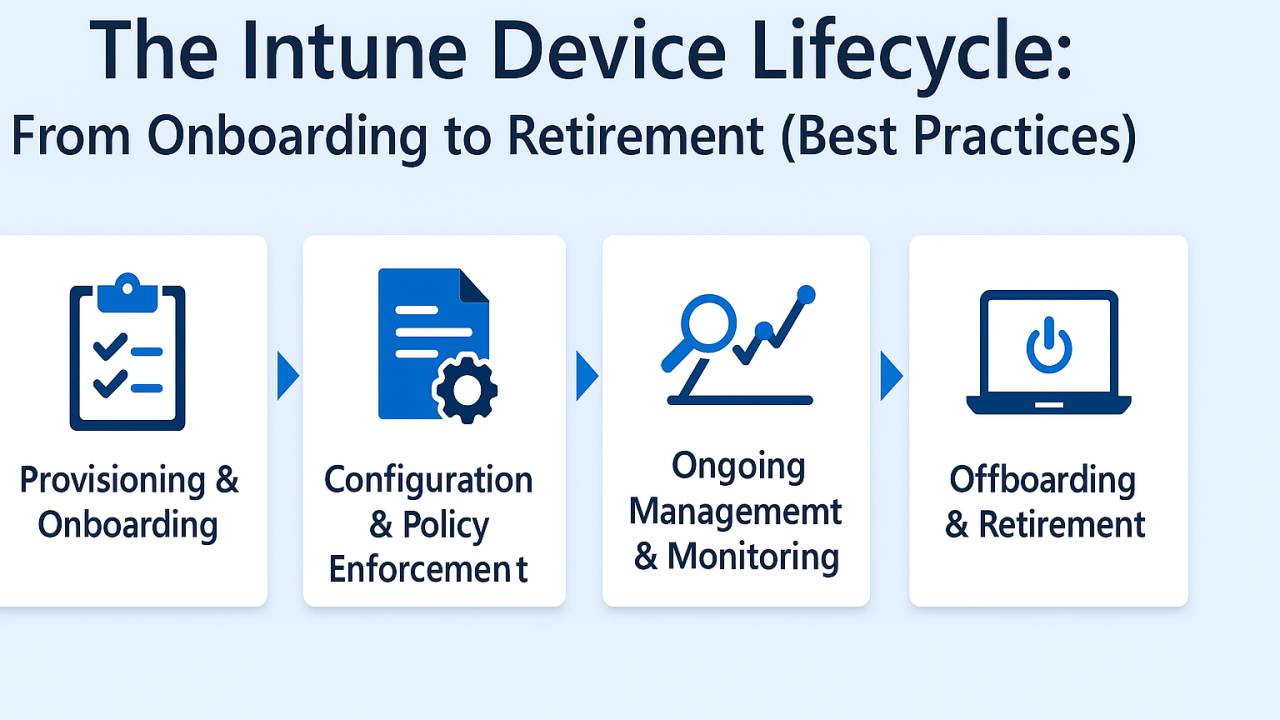
Stage 1: Provisioning & Onboarding

This is where the device journey begins, and it sets the tone for everything that follows.

Tools and features to use:

  • Windows Autopilot for zero-touch setup
  • Enrollment Status Page (ESP) to control setup sequence
  • Dynamic groups to assign configurations automatically
  • Baseline security policies (compliance, Defender, encryption)

Goal: Make the first experience smooth, secure, and consistent for every user.

Stage 2: Configuration & Policy Enforcement

Once enrolled, devices need policies to enforce security, productivity, and compliance.

Key items to configure:

  • Device compliance policies
  • Configuration profiles (Wi-Fi, email, certificates, restrictions)
  • App deployment (Microsoft 365, third-party apps, custom LOB apps)
  • Endpoint protection (Defender Antivirus, firewall, attack surface reduction)

Goal: Keep devices productive and protected’ with minimal hands-on admin effort.

Stage 3: Ongoing Management & Monitoring

Keeping endpoints healthy over time requires visibility and automation.

What to focus on:

  • Endpoint Analytics for performance insights
  • Update Rings for structured Windows patching
  • Conditional Access to protect corporate resources
  • Intune Reports for compliance and policy tracking
  • Remote actions (restart, wipe, lock, sync) when needed

Goal: Minimize support tickets by being proactive, not reactive.

Stage 4: Offboarding & Retirement

Eventually, devices are removed from service due to refresh, loss, or employee exit.

Secure offboarding steps:

  • Use “Wipe” or “Retire” from Intune portal
  • Remove from Autopilot if reassigning or repurposing
  • Revoke user access via Entra ID (if applicable)
  • Review logs for audit trail

Goal: Ensure data is wiped, access is revoked, and devices are properly decommissioned.

Best Practices for Lifecycle Management in Intune

  • Use naming conventions for easy device tracking
  • Tag devices with Group Tags for automated profile assignments
  • Schedule regular compliance reviews
  • Enable automatic enrollment and re-enrollment where supported
  • Keep Autopilot and Intune inventory clean and current

Device management doesn’t stop at enrollment.

By using Intune to manage the full lifecycle, you gain tighter control over your environment, reduce manual work, and improve the experience for users, from first login to final shutdown.

m365professionals.com
gadgets latestpost phones technology
Previous ArticleManaging Mailbox Delegation in Exchange Admin Center
Next Article Managing Windows Updates with Intune: Best Practices with Update Rings
Jeevan Mahat
  • Website

Related Posts

administrative assistant

Deploy the LOLBINS (Living Off The Land Binary Attacks) prevention-focused ASR rules via custom configuration profile (OMA-URI) in Intune

March 27, 2026
Defender for Endpoint

Elevating CEH: Transforming a Single Curriculum into Beginner, Intermediate, Advanced, and Expert-Level Cybersecurity Training

March 27, 2026
administrative assistant

The Intune Device Lifecycle: From Onboarding to Retirement (Best Practices)

July 3, 2025
Add A Comment

Leave A Reply Cancel Reply

Recent Posts

  • Deploy the LOLBINS (Living Off The Land Binary Attacks) prevention-focused ASR rules via custom configuration profile (OMA-URI) in Intune
  • Elevating CEH: Transforming a Single Curriculum into Beginner, Intermediate, Advanced, and Expert-Level Cybersecurity Training
  • The Intune Device Lifecycle: From Onboarding to Retirement (Best Practices)
  • Proactive Monitoring in Intune: What You Can (and Should) Be Using Right Now
  • How to Use Proactive Remediations in Intune

Recent Comments

  1. Blog.m365pros.com on Ways to Share Files with People at Work Using Microsoft 365
  2. Blog.m365pros.com on How to Use M365 Copilot to Summarize a Word Document
  3. Blog.m365pros.com on How to Buy New Licenses in Microsoft 365 for Business
  4. Blog.m365pros.com on Adding Multiple Users in Microsoft 365
  5. Blog.m365pros.com on Ways to Share Files with People at Work Using Microsoft 365
zencere.com
zencere.com
Top Posts

M365 ERROR CODE 80192EE7 Solution 

April 30, 2024152 Views

How to Get help or support as an end user while using Microsoft 365 App

May 1, 202483 Views

Transform Your PowerPoint Bar Charts into Professional Masterpieces 2024

May 15, 202445 Views
Latest Reviews
hotwiretellecom.com
hotwiretellecom.com

Archives

  • March 2026
  • July 2025
  • June 2025
  • December 2024
  • November 2024
  • October 2024
  • September 2024
  • July 2024
  • June 2024
  • May 2024
  • April 2024
Most Popular

M365 ERROR CODE 80192EE7 Solution 

April 30, 2024152 Views

How to Get help or support as an end user while using Microsoft 365 App

May 1, 202483 Views

Transform Your PowerPoint Bar Charts into Professional Masterpieces 2024

May 15, 202445 Views
People's Favorite

Deploy the LOLBINS (Living Off The Land Binary Attacks) prevention-focused ASR rules via custom configuration profile (OMA-URI) in Intune

March 27, 2026

Elevating CEH: Transforming a Single Curriculum into Beginner, Intermediate, Advanced, and Expert-Level Cybersecurity Training

March 27, 2026

The Intune Device Lifecycle: From Onboarding to Retirement (Best Practices)

July 3, 2025
© 2026 blog.m365pros.com. Designed by blog.m365pros.com
  • Home
  • Microsoft 365
  • Teams
  • One Drive
  • Windows Server
  • outlook

Type above and press Enter to search. Press Esc to cancel.